
I had 60+ Excalidraw diagrams scattered everywhere. Here's how I fixed it.
By Aniruddha · August 25, 2026 · 5 min read
If you use Excalidraw, you probably love it. I do. It's the fastest way to sketch a system diagram, a flow, or a quick wireframe. Open a tab, draw, done.
But here's what happened to me after about six months of using it daily.
The pile
I had Excalidraw diagrams everywhere:
- Browser tabs I was afraid to close
- A Downloads folder full of files named
drawing.excalidraw,drawing (2).excalidraw,Untitled.excalidraw - Screenshots of diagrams I took because I couldn't find the original file
- Duplicates I redrew because finding the old version was harder than starting over
I counted once. 60+ diagrams, spread across my laptop, a Google Drive folder, and a few Slack messages where I'd sent exports to myself.
The irony is that I use Excalidraw because it's fast and frictionless. But that same frictionlessness meant nothing ever got filed. There's no sidebar, no folders, no projects. Every drawing is a standalone thing.
What I tried first
Filesystem folders. I made a ~/diagrams/ directory and started saving .excalidraw files there. This worked for about two weeks. The problem is the export-save loop: draw in the browser, export, save to the right folder, then later drag the file back into Excalidraw to reopen it. Too many steps. I stopped doing it.
Chrome extensions. ExcaliHub and Excalidraw Organizer both add basic folder-like organization on top of excalidraw.com. I used ExcaliHub for a while. It worked, but everything lived in browser local storage. One cleared cache and it's gone. No sync across devices. And only one level of folders.
Obsidian + Excalidraw plugin. I already use Obsidian for notes, so this was a natural fit. Drawings lived in my vault, organized with the same folder structure. It's genuinely good if you're already an Obsidian user. But the drawing experience is slightly different from excalidraw.com, and I wanted cloud sync without setting up Obsidian Git.
Excalidraw+. The official paid tier. It adds cloud storage and collaboration. But it's $7/user/month, aimed at teams, and its organization is collections (flat, no nesting) rather than deep folders. I mostly draw alone, so paying for collaboration features I wouldn't use felt wrong. (I wrote up a fuller CanvasKeep vs Excalidraw+ comparison if you're weighing the two.)
What I actually wanted
After trying everything, I realized the thing I wanted was pretty specific:
- The exact same Excalidraw canvas. Not a different drawing tool. The same one.
- Nested folders. Not one level. Real folders I can nest by project, by client, by feature.
- Version history. Named checkpoints I save before a big change, so I can preview and restore any earlier version.
- Cloud sync. Sign in, draw, close the tab, open it on another machine. No file management.
- Free for the basics. I'd pay for higher limits, but at least folders and workspaces shouldn't be behind a paywall.
Nothing I found did all five. So I built it.
What I built
CanvasKeep is the same open-source Excalidraw canvas wrapped in a project layer. You sign in with Google or email and password, create workspaces, nest folders however deep you want, and save named versions of any diagram.
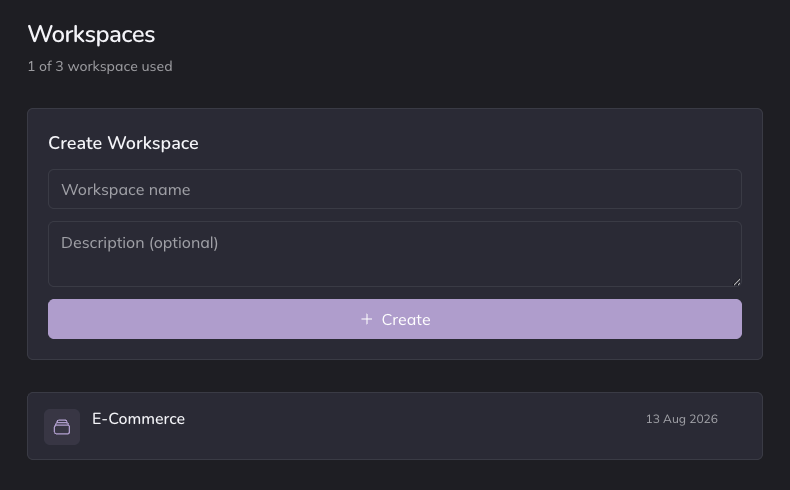
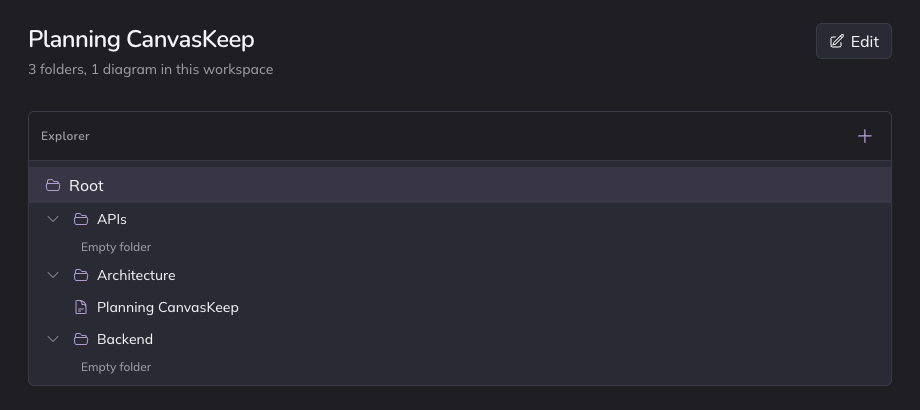
The drawing side is identical to excalidraw.com because it uses the same @excalidraw/excalidraw package. I didn't fork or modify the canvas. Shapes, arrows, freehand, text, the hand-drawn style, all the same. The difference is what happens when you're done drawing.
The tech stack, briefly
- Next.js on Cloudflare Workers (via OpenNext)
- Supabase for auth and PostgreSQL
- Cloudflare R2 for diagram storage
- @excalidraw/excalidraw npm package for the canvas
Diagrams are stored in the open .excalidraw JSON format. No lock-in. You can export and reimport into plain Excalidraw anytime.
The version history part
This is the feature I use most. Before I make a big change to a diagram, I click "Save version" and name it ("before refactor", "v2 for review", whatever). The checkpoint is stored separately. I can preview any past version side by side and restore it with one click.
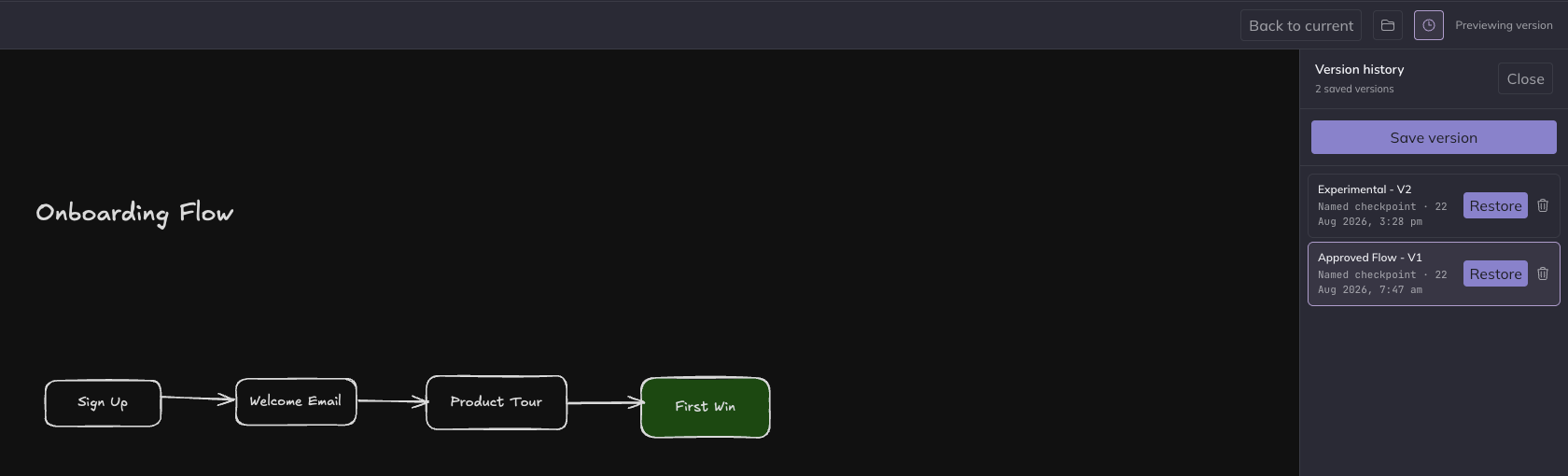
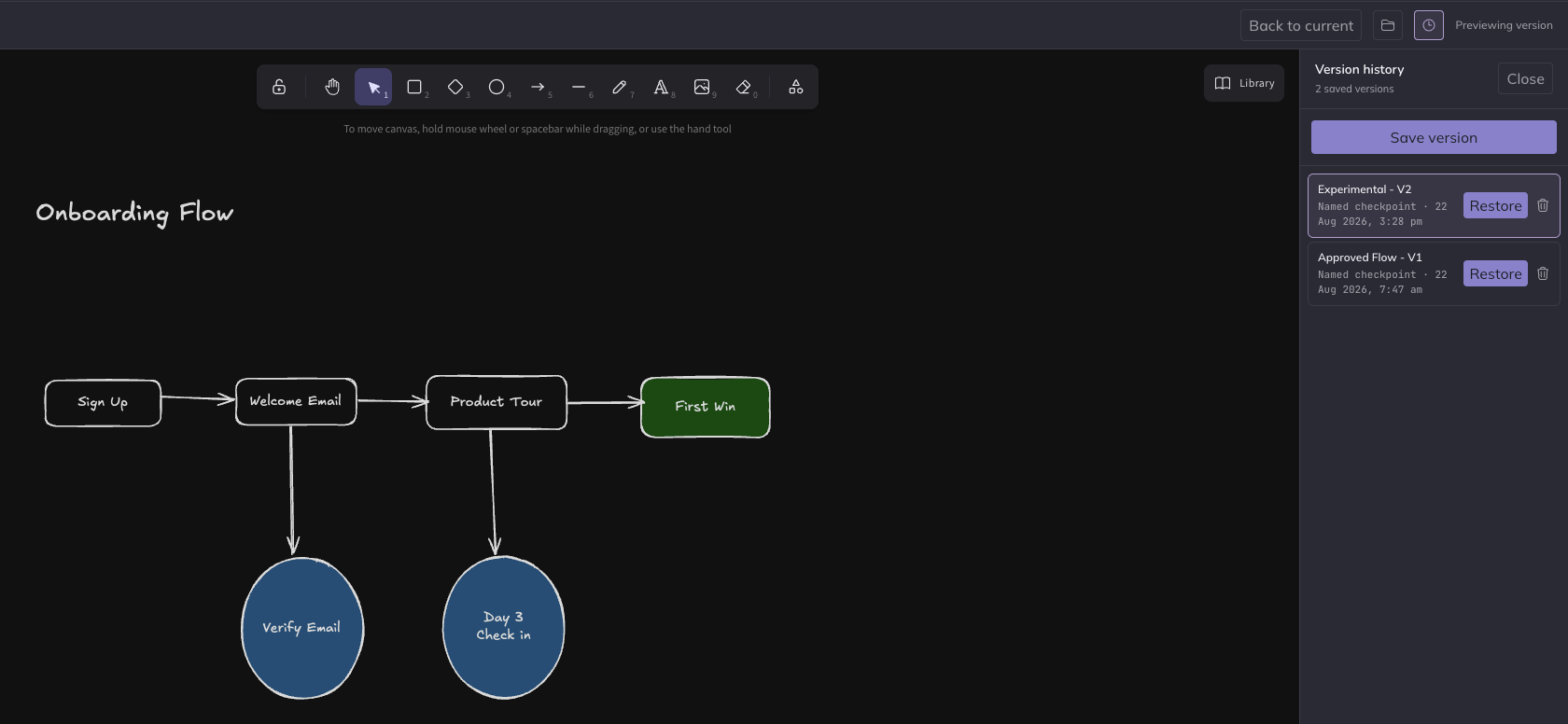
This sounds simple, but it's the thing that none of the other solutions I tried could do. Undo works within a session. Version history works across days and weeks. More on how it works on the Excalidraw version history page.
What I learned building it
A few things surprised me:
The Excalidraw npm package is excellent. Embedding it is straightforward. The API is clean, the component is well-documented, and the community is active. If you're building anything that needs a sketching canvas, @excalidraw/excalidraw is worth evaluating.
Organization is a harder problem than drawing. The canvas was the easy part. Figuring out how workspaces, folders, and version snapshots should interact, especially edge cases like restoring a version in a moved diagram, took longer than integrating the canvas.
People who search for "Excalidraw alternative" usually don't want to leave Excalidraw. They want the same canvas with fewer friction points. That insight shaped everything about how I position the tool. It's not a competitor to Excalidraw. It's a wrapper around it.
Is this for you?
Honestly, maybe not. Here's my honest take:
- If you have a handful of diagrams, your filesystem is fine. Don't overthink it.
- If you already use Obsidian, the Excalidraw plugin is great. Drawings alongside notes is a powerful combo.
- If your team needs real-time collaboration, Excalidraw+ is the better fit. That's what it's built for.
- If you draw a lot, mostly alone or in a small group, and your main pain is losing diagrams and overwriting versions, that's the gap CanvasKeep fills.
CanvasKeep is completely free right now. Workspaces, nested folders, and version history, with no limits. No credit card, no trial timer.
Try it
You can try the canvas without signing up. It's an interactive demo that shows the draw-organize-version workflow in about a minute.
Excalidraw is an open-source project by the Excalidraw team. CanvasKeep is an independent tool built on their canvas. I'm not affiliated with the Excalidraw team.